An online shift schedule that fits everyone
Manage your employees’ shifts or keep your own work schedule, even if you work in several places.
Mark work days, days off and payments. Share the schedule with colleagues and family.
The schedule stops eating your evenings
- You build the schedule by hand in Excel, notes or a calendar.A handy calendar for planning shifts and days off.
- Shifts, days off and changes get lost in chats.All shifts, changes and workplaces in one schedule.
- You count work hours and payments yourself.Work hours and payments are always in sight.
- To share the schedule, you send files or screenshots.The schedule is easy to share by a link.
The real Staplan, not a slide from a pitch deck
Five sections to manage work shifts. See how it all works and try it yourself in the demo.
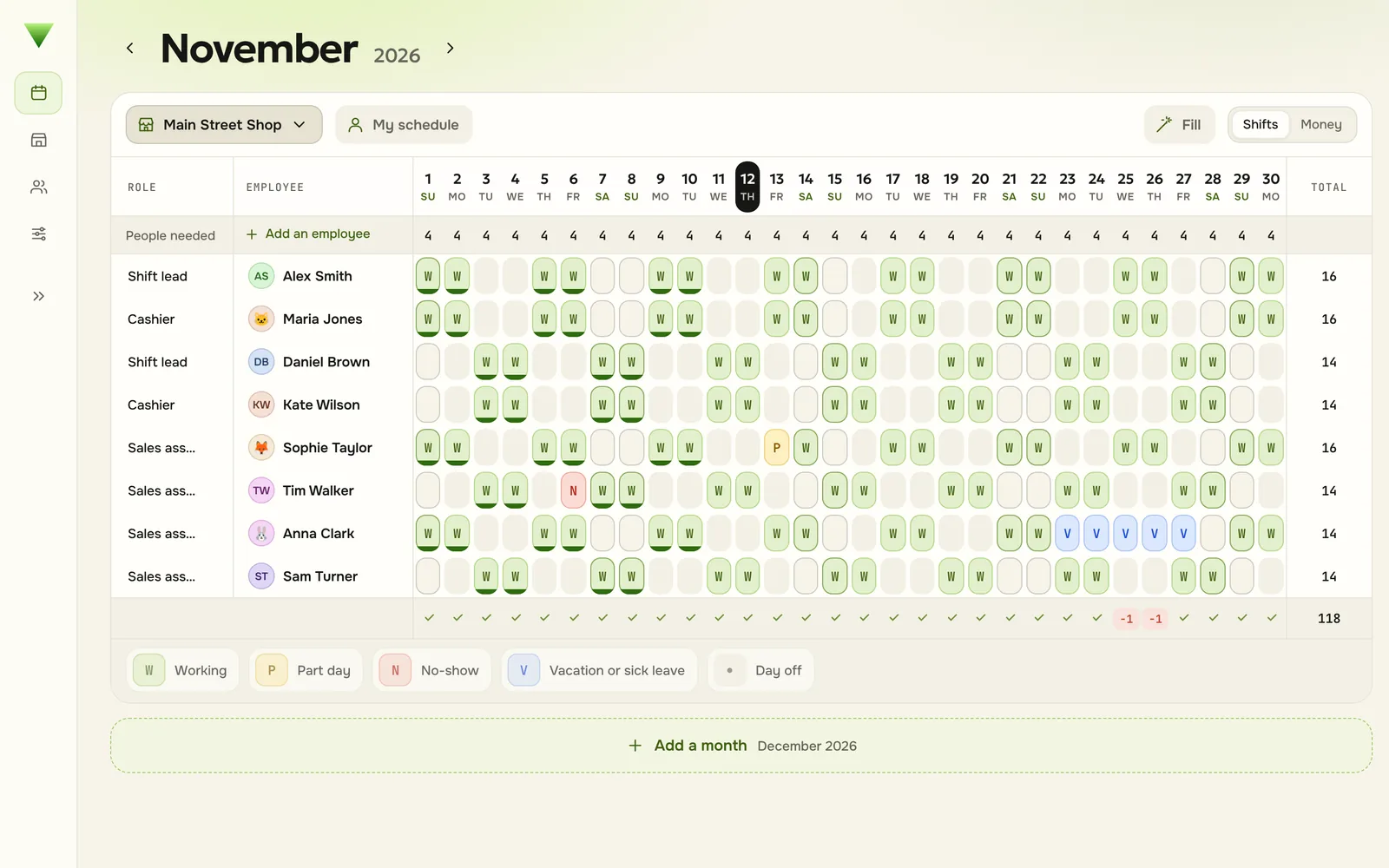
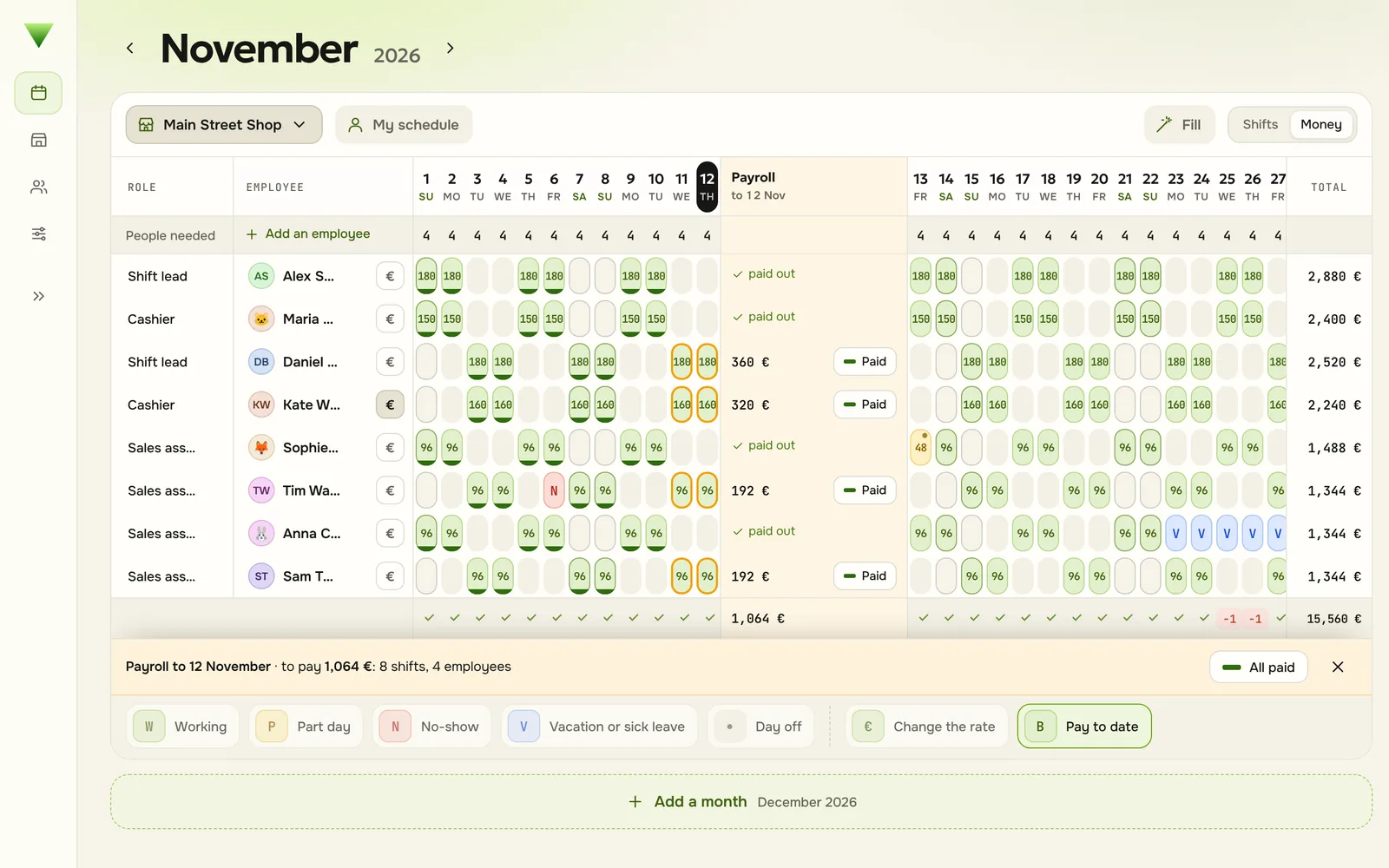
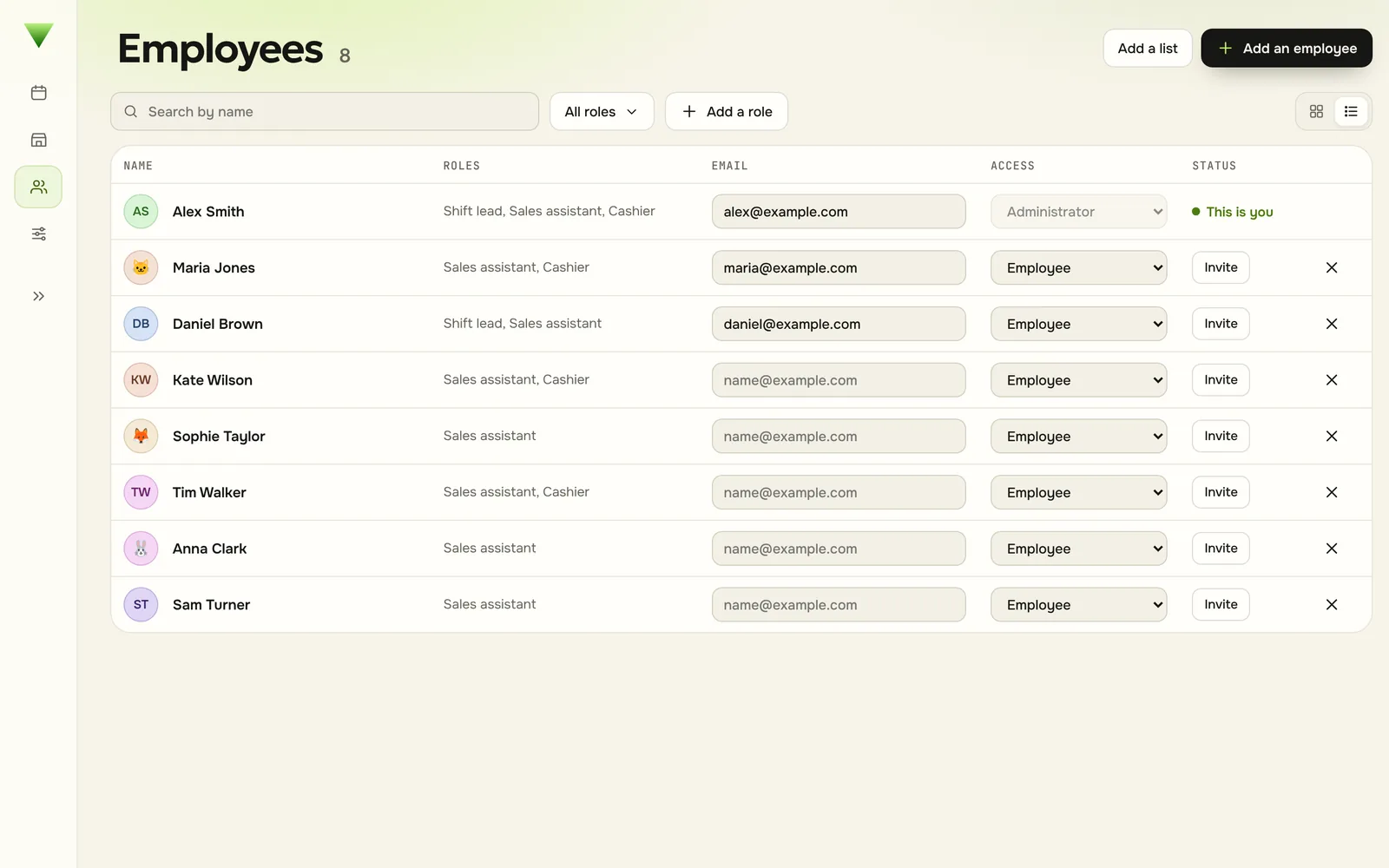
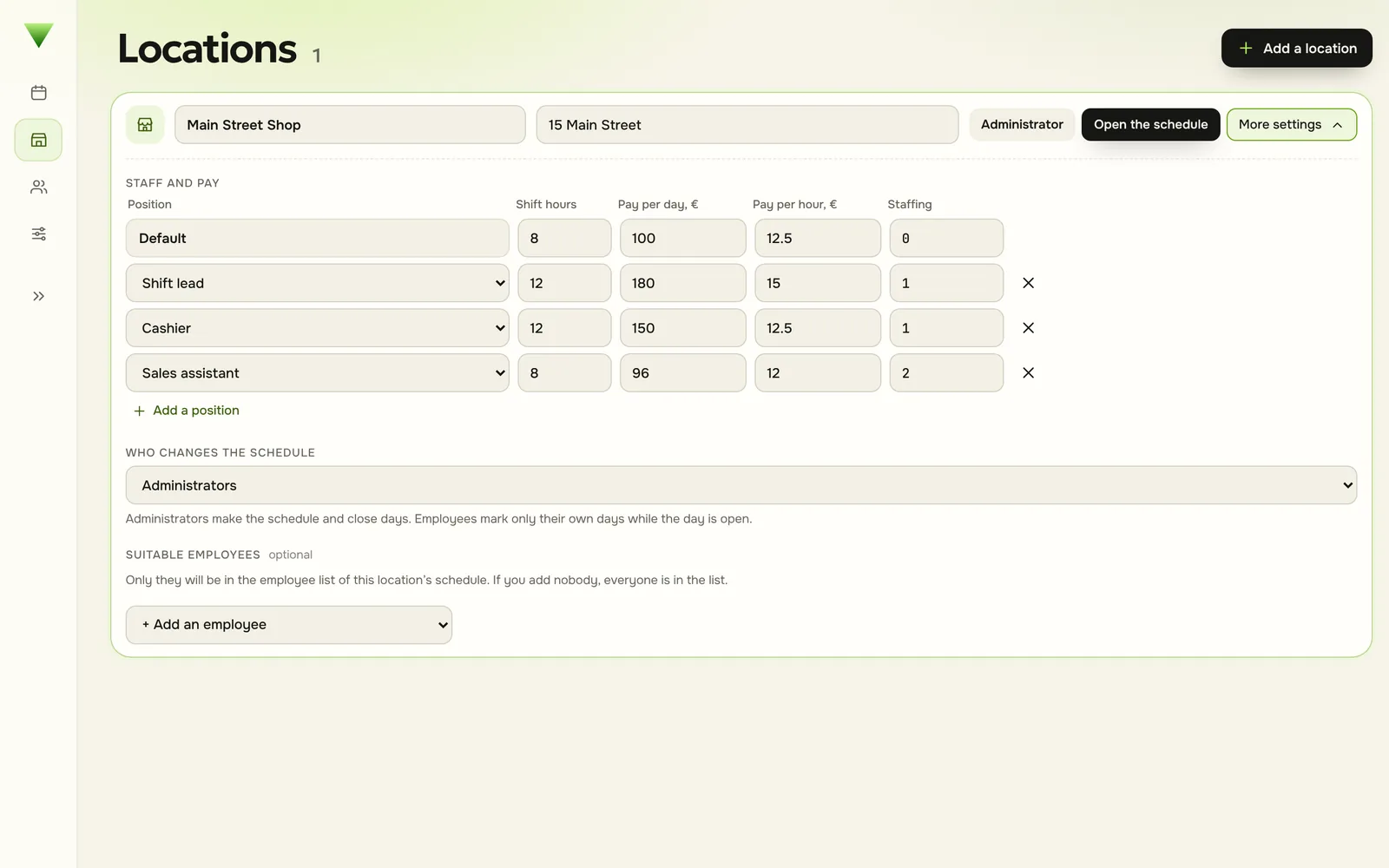
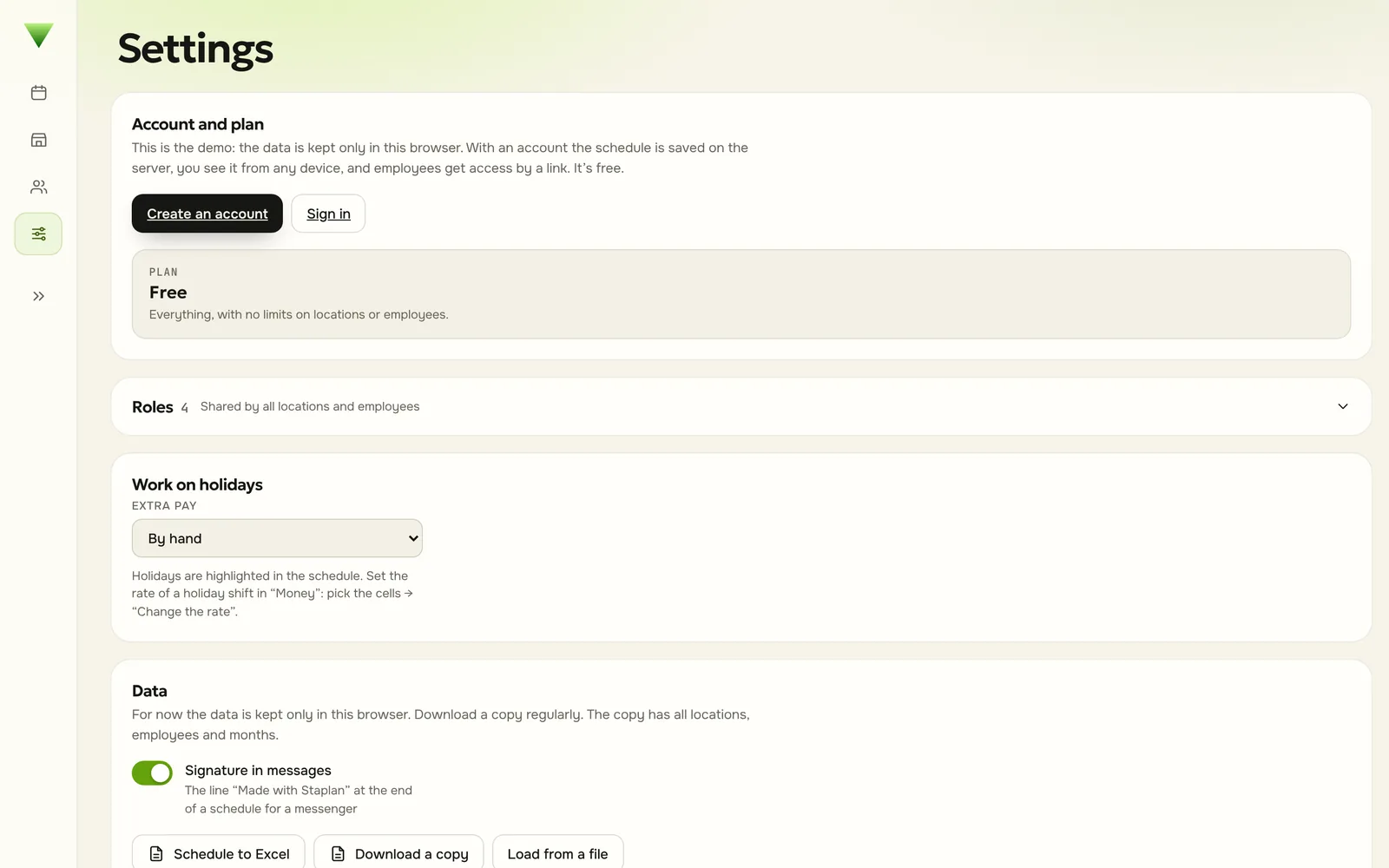
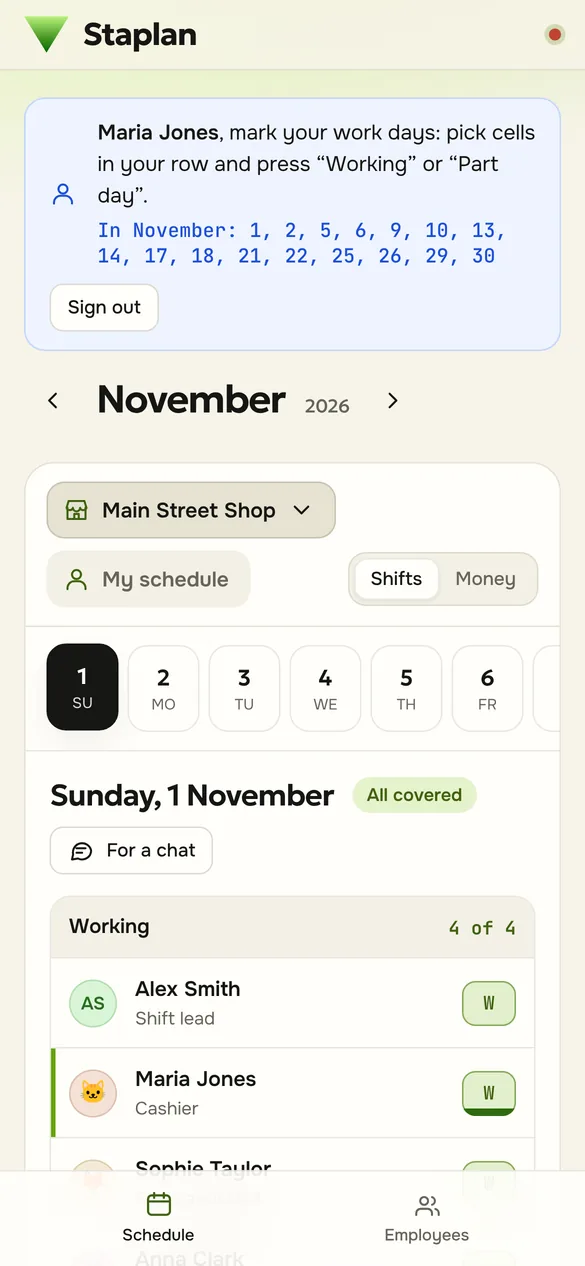
Your first schedule in 5 minutes
Add a workplace, say who works there and make the schedule. No complex setup.
Add a location
Create a workplace: a shop, an office or any other place. One location is enough for a personal schedule.
Add employees
Add yourself or a whole team. Set roles, rates and other details if you need them.
Make the schedule
Mark work days, days off and vacations right in the calendar. Share the finished schedule by a link.
Free. With no time limit.
All the features of Staplan are free — no bank card and no trial period.
Create an account- Shift planning
- Several workplaces and roles
- A schedule for yourself or a team
- Access from a computer and a phone
- Share the schedule by a link
- Export to Excel
Frequently asked questions
Write to us — we will answer and help you move your schedule from Excel.
info@veloseller.ruYes. All features are free, with no limits on locations or employees, and no card is needed.
Share a link to the schedule. Employees open it on a phone or a computer and see their shifts.
Yes. Employees are shared by all locations of the account. If a person already works at another location that day, Staplan shows it in the schedule, and hours and pay are counted across all locations.
Yes. In “My employees” press “Add a list” and paste the names as a column from Excel or Google Sheets. The finished schedule goes back to Excel with one button.
On a server in Russia. Passwords and PINs are stored as hashes, each account sees only its own data, and the database is backed up daily. More in the privacy policy.
Yes — open the demo: a ready shop with a team and a schedule. The demo data stays only in your browser. To save the schedule and invite employees, create an account.
No. Staplan works in the browser on a computer and a phone. For the iPhone there is the Staplan app on the App Store — the same account as on the site.
Make your shift schedule right now
For yourself or a whole team. Mark work days, keep track of hours and payments — all in one place.